Tutorial
IntermediateFind Likely Duplicate and Stale Member Records Before Any AI Sees the List
Check a member export for likely duplicate pairs and stale records in your browser, with a reason and a score for each flag, then decide every merge by hand.
Time needed: About 45 minutes
Before you start:
- A member list you can export to CSV, or use the 24-record sample
- A recent desktop browser and a spreadsheet program
- A file of no more than 5 MB and 20,000 records, the most the lab reads
Data Quality Member Records Duplicates AMS Export
By the end of this tutorial you will have a short list of member record pairs that probably describe one person, and a list of records nobody has checked in a long time, each with the reason it was flagged.
Try it now: the member record check opens a CSV in your browser, lists the pairs and records to review, and gives you the list to download. Nothing from your CSV is sent anywhere.
Other organizations’ lists already hold the problem
An audit by Australia’s national audit office examined all 23 million records in one government benefits agency’s customer database and found that up to 3 percent of customers appear to have been registered more than once. The same audit adds that a customer’s information can end up fragmented across two or more records, which for an association could mean dues on one record and event history on another.
A 1997 Census Bureau working paper says many lists have typing errors in more than 20 percent of first names and also in last names. A 2006 Census Bureau research report, an overview of record matching for person and business lists, says duplicates can inflate estimates of the number of entities in a file. We read that as a warning that a member count taken from an unchecked list can run high.
None of these covers an association’s member list, so your own count is the only number that matters. This check also sits inside a wider sequence for getting AMS data ready for AI.
Find the flagged records in nine steps
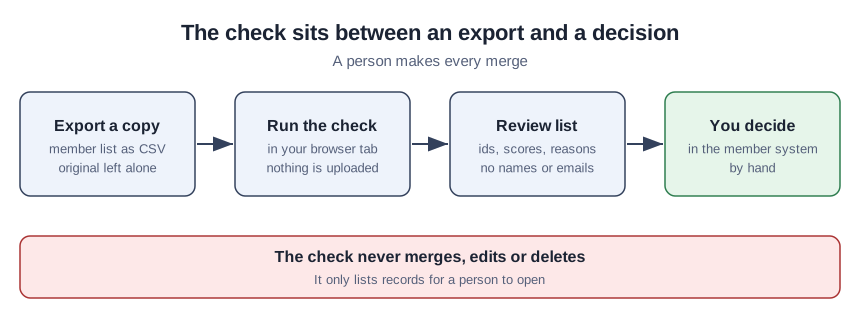
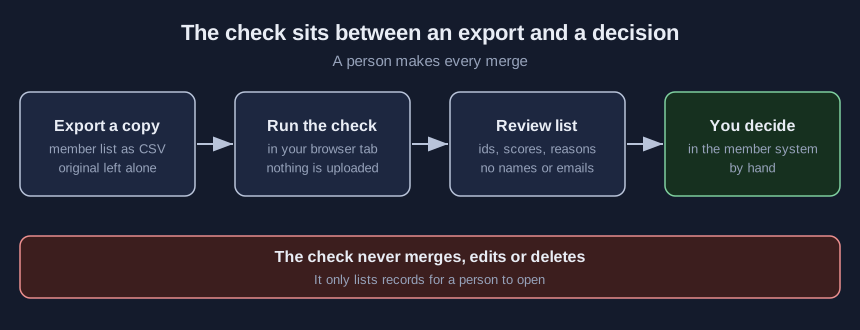
- Export a copy of the list with the nine columns the lab reads. Export to CSV by hand, with no AI tool involved, and work only on that copy. Name the columns
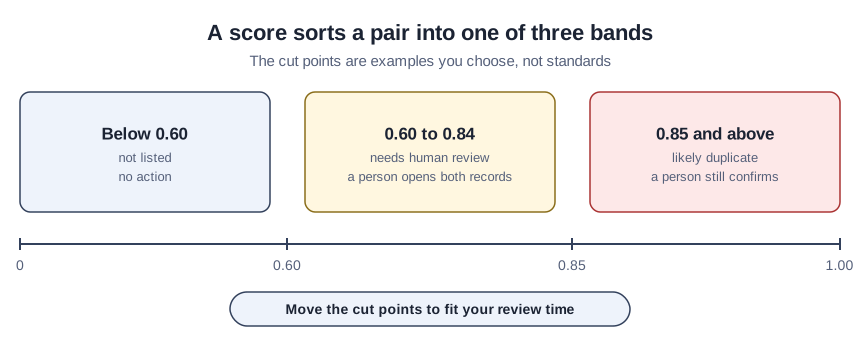
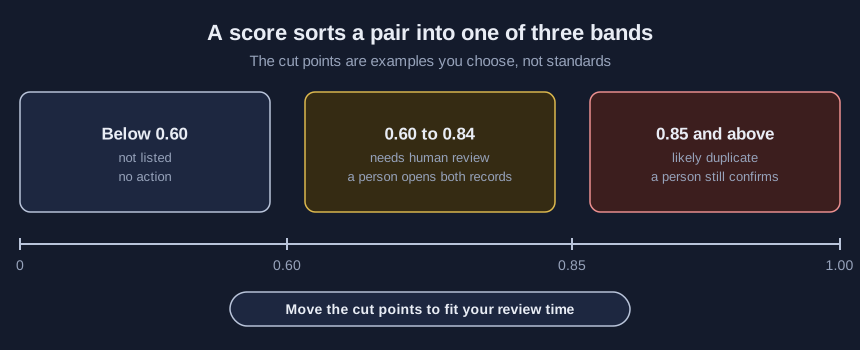
member_id,first_name,last_name,email,phone,street,zip,last_activityandlast_reviewed. - Write down four settings before you look. They are the lowest score to list, the score for a likely duplicate, the months without activity and the months without a review. The kit starts at 0.60, 0.85, 24 and 6. They are placeholders we chose, and none has a source. A Census Bureau 2014 working paper on matching 1940 census records sets its name-search cutoff at 750 on a scale of 0 to 900, a setting for that system and not a recommendation for yours.
- Open the file in the lab and read the counts. The lab refuses a file over 5 MB or 20,000 records. It shows how many records it read and how many pairs it compared. It compares only records that share an email, a phone number or the start of a last name plus either a zip code or a first initial, so 24 records need 8 comparisons, not 276.
- Read each flagged pair with its reason. A shared email, phone or street adds to the score, and so does how close the two names are. Two clearly different names stay low even when they share an email. The 2006 Census Bureau research report describes sorting pairs into a match, a non-match and a middle group held for a person to review, and the lab’s three bands follow that idea.
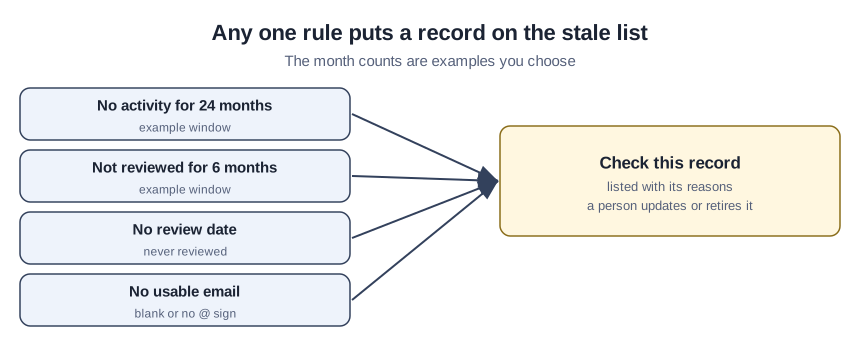
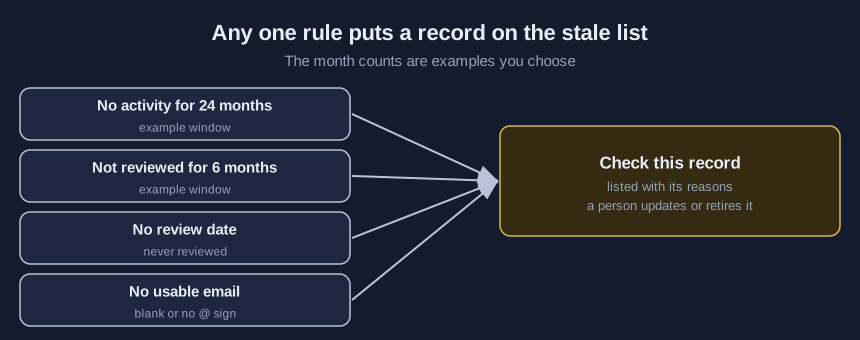
- Read the stale list. A record is listed when it has no recent activity, has not been reviewed within your window, has no review date or has no usable email. Each row says which rule applied. Set the windows to how often your staff really review records, because a window nobody can keep up with only fills the list.
- Download the review list. It holds ids, scores and reasons only, with no names or emails.
- Open both records of each pair and write down your verdict. Choose same person, different people or unsure.
- Merge by hand only the pairs you marked same person. Do it in your member system.
- Export again and rerun the check. Resolved pairs should drop off the list.
A teaching example: 24 made-up members
This is a teaching example, not a case study. The association and all 24 records are invented. Six pairs were planted in them, and two look-alike pairs are different people.
With the as-of date set to 4 October 2026, the check read 24 records and compared 8 of 276 possible pairs. It listed five pairs. Katherine and Katharine Alvarez, and Sam and Samantha Ortiz, scored as likely duplicates; the Ortiz records share a family email and phone, so they may be relatives. Dmitri and Dmitry Petrov, Robert and Bob Nguyen, and a Linh Tran entered twice were listed for review.
It missed Priya Raman and Priya Ramen, who share only a street address. It correctly left Maria Okafor and Maria Okafor-Reyes, and Grace Kim and Grace Kimball, unflagged. It also listed seven records as stale, the oldest with no activity for 68 months, no review and no usable email. The pairs were written to fit the rules, so finding five of six measures the rules and not how a real list will behave.
Verify the list against people you already know
Pick 20 pairs you know are one person and 20 you know are two, add them to a copy of your export, and run the check. Count the known duplicates it found and the different people it flagged, then move the review score until the list fits the hours your staff can spend. A flagged pair stays a lead until a person has opened both records, and an empty list is not proof that none exist, as the missed Priya pair shows. Save the counts with your settings.
Five mistakes that make a duplicate check misleading
The first mistake is merging from the list without opening both records. The second is treating a shared email or phone as proof, when relatives share both. The third is changing the settings after you have seen the output so the numbers look right. The fourth is borrowing another system’s cutoff as if it were a standard. The fifth is pasting the whole export into a chat tool to find duplicates, when this check needs no AI and keeps the file in your tab.
What is in the member record kit
Inside: the browser page, a script that runs the same checks, the 24-record sample, a column template, a review checklist and a threshold worksheet. The free download is on the demo page, behind a short email form.
Sources (4)
- Australian National Audit Office: Integrity of Electronic Customer Records (performance audit of Centrelink, 15 February 2006)
- Porter and Winkler: Approximate String Comparison and its Effect on an Advanced Record Linkage System (U.S. Census Bureau research report RR97-02, August 1997; Census Bureau working paper)
- Winkler: Overview of Record Linkage and Current Research Directions (U.S. Census Bureau Research Report Series, Statistics #2006-2, 8 February 2006; Census Bureau working paper)
- Massey and O'Hara: Person Matching in Historical Files using the Census Bureau's Person Validation System (CARRA Working Paper 2014-11, 15 September 2014; Census Bureau working paper, read as the PDF linked from the Census page)