Tutorial
BeginnerScreen a Member Survey Export for Careless and Repeated Responses Before You Analyze It
Open a survey CSV export in a browser lab, name the columns, set your own limits, and work through flags for identical answers, fast finishes, missed instructed items and repeats, logging a decision for each.
Time needed: About 40 minutes
Before you start:
- A CSV export of a closed survey with a grid of questions, or use the sample file
- A recent desktop browser and a spreadsheet or text editor to read the original export
- The name of the person who will decide what happens to each flagged response
Surveys Data Quality Member Research Screening
By the end of this tutorial you will have a list of survey responses that a named person has read, with a decision and a reason beside each one, before any result goes to a board.
Try it now: the survey response screen reads a CSV export in your browser and flags responses that fall outside limits you set. The page opens your file locally and sends no part of it anywhere.
What the screen borrows, and what it invented
An abstract from two North Carolina State University researchers reports two distinct patterns of careless answering, random and nonrandom, that need different indices to catch. It also reports that about 10 to 12 percent of undergraduates completing a lengthy survey for course credit were identified as careless, and recommends instructed items before data collection. Those were students, not members, so the figure is no estimate for your survey.
The abstract of a study of 725 undergraduates answering a low-stakes online personality survey recommends response time, psychometric antonyms and individual reliability. In its full text, the authors call their cutoff of 2 seconds per item an educated guess used as a starting value, so it is an example and not a standard.
The screen uses the speed, identical-run and instructed-item ideas, and a simpler version of the antonym idea. The repeated email, repeated answers and one-word comment checks are house checks with no cited source. The first paper’s methods section notes that its survey system could not prevent multiple entries from one respondent, but neither study says these checks are enough for a member survey or what an association should do about a flagged member.
Screen one export in twelve steps
- Export the responses as CSV. Wait until the survey has closed.
- Open the original export in your spreadsheet or text editor. Keep it unchanged for the rest of the job.
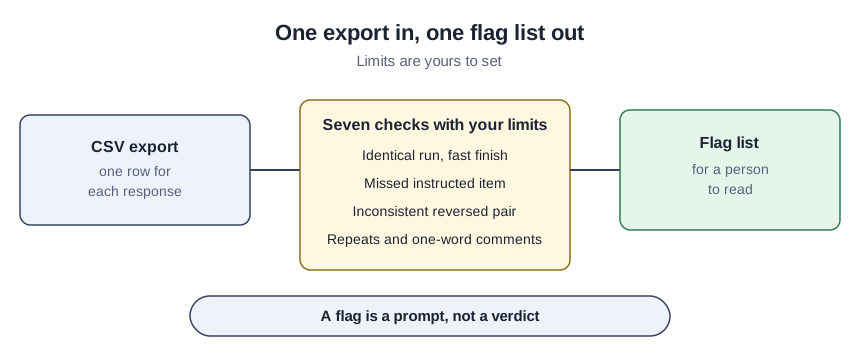
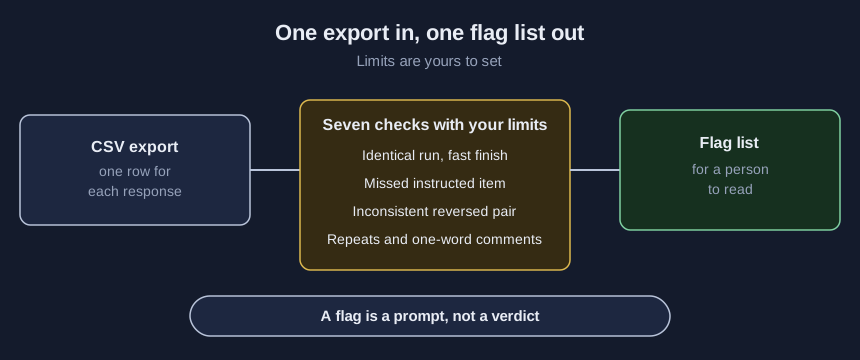
- Open the CSV in the lab. The lab then lists the column names it found. The sample file shows the layout if it is new to you.
- Enter your column names under “Column names”. Type each one exactly as the first row spells it.
- Enter your limits under “Limits you choose”. Every starting number is an example.
- Press Screen. Counts and a table of flags appear below.
- Read first any row that appears more than once in the table. Find the matching line in the original export, one past the row number because the header takes line 1.
- Read every other flagged response beside its row. The check name and detail say why.
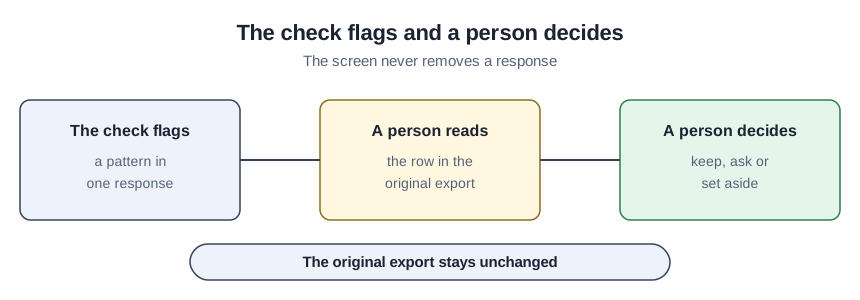
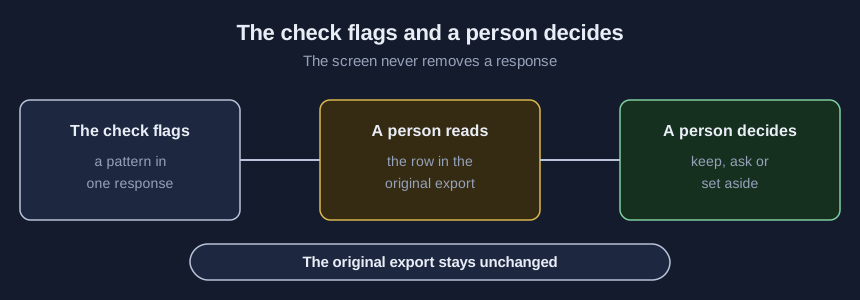
- Press Download flagged-responses.csv.
- Record a decision and a reason for every flag. Fill the empty columns in the download, including for the ones you keep.
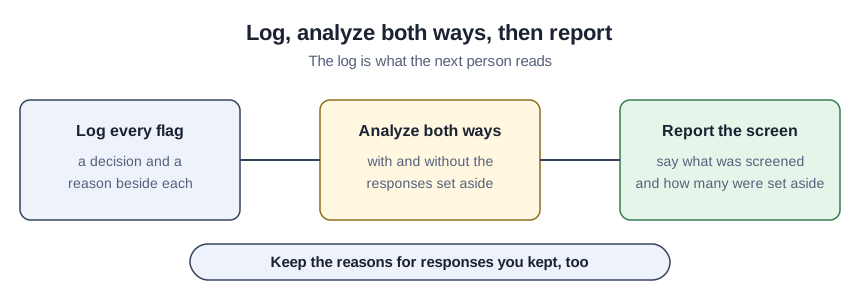
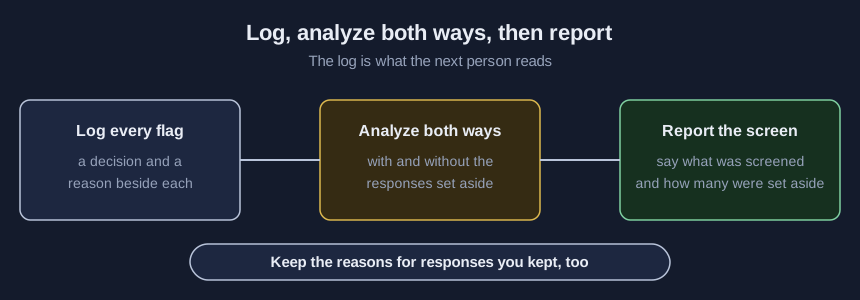
- Analyze the original export twice. Run it as it is and again without the responses you set aside.
- Say in the report how many responses were screened and how many were set aside.
A teaching example: forty invented responses
The sample file is made up for this tutorial, so its counts show what the checks do and not how a real survey behaves. With the starting limits, 40 responses give 8 flags on 7 responses, and one response is flagged twice. Row 35 gets both straightlining (ten identical answers in a row out of ten) and too-fast (9 seconds against a floor of 20). Row 15 answered “2” to an item that asked for “4”, and row 25 shares an email with row 24.
Check the result
Compare “Responses read” under “Counts” with the number of responses your survey tool reports. Count the rows in the download against “Flags in total”. Raise “Identical answers in a row that flag” above the number of grid columns and confirm that the straightlining flags disappear. Ask a second person to read a few responses that were not flagged, because a clear row is not proof of care.
When the screen misleads
| What goes wrong | What to do instead |
|---|---|
| The starting limits are copied as if they were standards. | Write your own in the settings worksheet and say why. |
| Flagged rows are deleted from the export. | Keep the original, and record keep, ask or set aside with a reason. |
| A response with no flags is called careful. | Read a few unflagged ones, since the screen only sees patterns. |
| Grid columns use different answer scales. | List only questions that share one scale, so a long run means something. |
Which checks run where
Every check runs in the lab, in your browser, on one file at a time, up to 2 MB, 200 columns and 20,000 responses. The kit’s script runs the same checks from a command line and is the only place that reads several exports in one run. The kit also has the sample file, a settings worksheet, a review checklist, an instructed-item guide and a decision log, free with your email through the form on the lab page. The download holds the id column you name, check names, short messages and no comment text, so pick an id that is not an email address.
Sources (2)
- Meade and Craig: Identifying Careless Responses in Survey Data (Psychological Methods, online first 16 April 2012; journal article by North Carolina State University authors; copy hosted by a university lab)
- Huang, Curran, Keeney, Poposki and DeShon: Detecting and Deterring Insufficient Effort Responding to Surveys (Journal of Business and Psychology, vol. 27, pp. 99-114, published online 31 May 2011; journal article by Wayne State, Michigan State and Indiana University-Purdue University Indianapolis authors; copy hosted on the first author's site)