Article
Six Things to Tell an AI Before You Ask It to Write Anything
A reusable six-part prompt structure (role, task, source, audience, constraints, output) for membership, advocacy, and volunteer drafts. Humans still verify every fact.
Communications Membership Advocacy Literacy
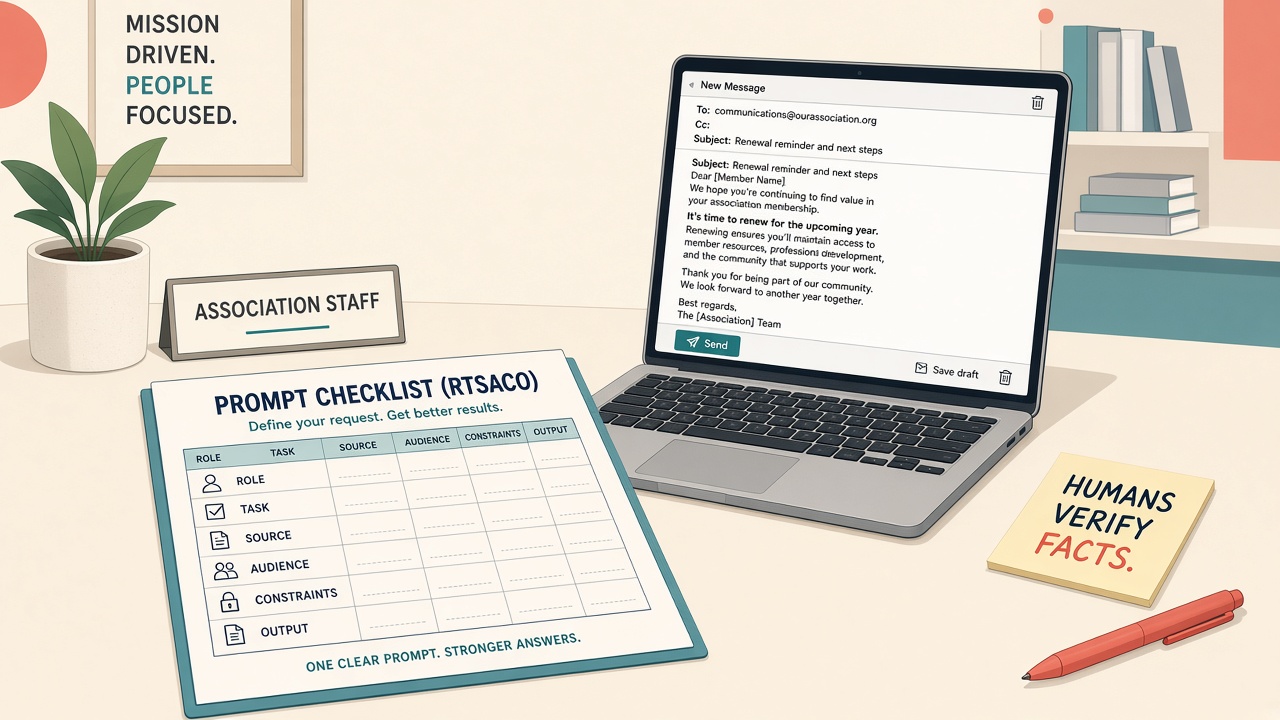
You know roughly what generative AI is. You still open the chat box and type “write a renewal email” or “summarize this bill,” and what comes back is generic, off-brand, or confidently wrong. Then the afternoon goes to editing, or worse, to almost sending a mistake.
The problem is usually not the model. It is the ask. Most weak asks leave out the role, the source material, the audience, and the constraints. This piece gives you one structure you can stick to a monitor and use this week.
Why structure beats clever phrases
A model works only from what is in the box and what it absorbed in training. It does not know your statute, your benefits, or your house style unless you paste them in.
NIST supplies the risk language. The AI Risk Management Framework and its Generative AI Profile flag confabulation and over-reliance. The remedy at the desk is to structure the ask, ground it in sources you brought, and keep a named human accountable before anything goes out. On the security side, NIST’s adversarial machine learning report (NIST AI 100-2e2025) lists prompt designs that clearly separate trusted instructions from untrusted pasted text as one proposed defense against indirect prompt injection, while cautioning that no current defense is complete.
ASAE’s organizational AI policy sets the guardrails: protect member PII, use approved tools, humans verify and own outputs, be transparent when AI meaningfully shapes member-facing content.
The six slots
| Slot | What you fill in |
|---|---|
| Role | Who the model should act as: membership writer, plain-language advocacy editor, volunteer briefing writer |
| Task | A concrete verb: outline, draft bullets, propose subject lines. Not “make it better” |
| Source | Only the text you paste. If it is not here, the model may not invent it |
| Audience | Who reads the result: lapsed professional members, chapter chairs, committee volunteers |
| Constraints | Length, tone, reading level, a never-invent list, and “write ‘needs human confirm’ when the source is silent” |
| Output | The shape you want back: three subject lines plus an outline, a bulleted list, a one-page skeleton |
Both filled briefs below are teaching examples, not prompts a real association used. For a renewal outline, the slots read this way: Role, association membership writer. Task, outline a renewal email. Source, only the pasted benefits bullets. Audience, lapsed professional members. Constraints, friendly, under 150 words when drafted, no invented discounts or deadlines, “needs human confirm” for anything not in source. Output, three subject line options plus an outline.
For an advocacy alert, fill them like this: Role, advocacy communications editor. Task, draft a plain-language member alert. Source, only the pasted public bill excerpt or your approved summary. Audience, busy members who are not lawyers. Constraints, short paragraphs, no legal effects the source does not state, flag anything needing expert confirmation. Output, two subject lines and an alert body with a placeholder call to action. Confidential negotiating notes stay out.
Where it applies
The same six slots work for renewal and onboarding outlines from approved benefits copy, for turning a bill into a member alert (with expert and legal review before publishing), for newsletter section outlines from one approved brief, for volunteer role briefings from public agenda notes, for session blurbs from approved abstracts, and for service reply outlines from FAQ text. In every case, escalate anything that needs a person’s record or a legal signature.
Put the six slots on the shared drive
Post the six slots where you draft. Build a one-page template sheet on the shared drive with three blank versions: membership outline, advocacy alert, volunteer briefing. Write the never-paste line on that sheet: no member names, emails, phones, AMS exports, donor notes, or staff contact sheets into consumer chat. Pick one approved tool and prefer settings where chats and uploads do not train public models. Run one renewal outline and one advocacy alert from public material only. Have a named owner check claims against source, check names, dates, and fees, check brand voice, and confirm no PII slipped into the chat log. Save the prompts that worked next to the templates with a date on them.
Why a folder of one-liners fails
A folder of clever one-liners without source and constraints still produces generic drafts. Member PII does not belong in consumer chat, even for an outline. An advocacy alert that invents a bill’s effect is worse than a slow first draft. Machine-identical grassroots messages burn trust, so coach personalization after the skeleton is solid.
Sources
- ASAE: AI as Strategic Enabler / How Association Leaders Can Catch Up
- ASAE: Organizational AI Policy
- Independent Sector: Five Steps to Unlock AI’s Potential for Nonprofits
- NIST: AI Risk Management Framework
- NIST AI 600-1: Generative Artificial Intelligence Profile
- NIST AI 100-2e2025: Adversarial Machine Learning: A Taxonomy and Terminology of Attacks and Mitigations