Article
Draft Event Runbooks and Speaker Briefs Without Pasting Private Data
Draft runbooks, session blurbs, and speaker briefs from approved public materials; keep contracts, rooming lists, and PII out of consumer chat tools.
Event planning Speaker ops Privacy Runbooks Association staff
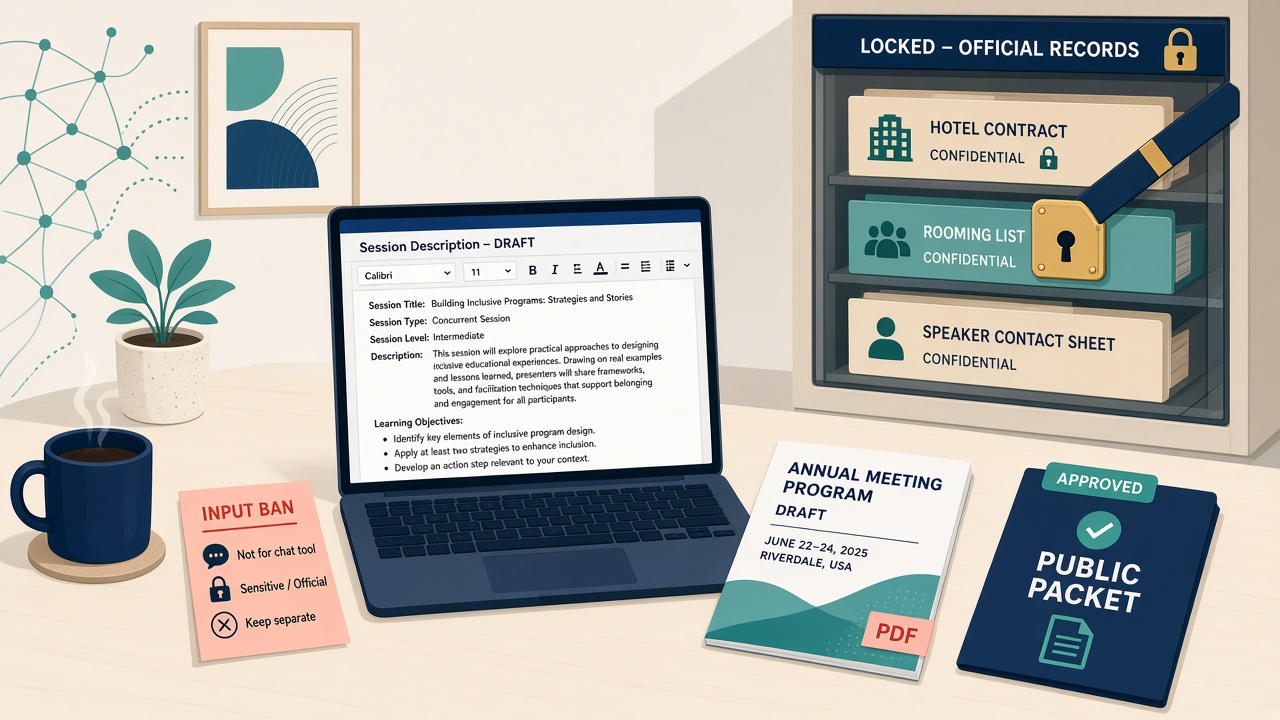
Annual meeting week compresses the writing pile: session descriptions, moderator briefs, run-of-show checklists, attendee FAQs, all needed in plain language and fast. The shortcut that keeps appearing is pasting a hotel contract, a speaker contact sheet, or a rooming list into a consumer chat tool to draft faster.
The speaker and VIP contact sheet is exactly the kind of document a sponsor would love to get hold of, and the hotel contract is exactly the kind of document the venue would prefer stay private. Putting either into a vendor’s chat log is a bad trade for a faster session blurb. You do not need a new event platform to fix this. You need a folder of approved public materials, a short list of banned inputs, and humans who still own the schedule and the contracts.
An FSAE survey with 305 responses, run with the Association Societies Alliance in November 2024, found that 32% of respondents use AI for events, conferences, and meetings, while only 13% said their association has an AI policy.
Start by controlling what the model sees
Ground drafts in approved documents. Retrieval-augmented generation works like an open-book exam: retrieve relevant passages from a known source, then generate from those. For events, the book is your approved public packet: the call for proposals, the published program, the venue FAQ, past session templates. The signed hotel PDF is not part of it.
Scrub before any AI pass. Strip names, phones, emails, addresses, and travel details first. The model does not need participant names to help you draft a session description. A January 2024 Tech@FTC post, written as advice to AI companies rather than to associations, notes that model-as-a-service firms have a business incentive to keep taking in data, including internal documents and user data their customers reveal, and warns those firms to honor their privacy commitments.
Write down what is banned. A practical ban list keeps attendee lists, registration data, dietary or accessibility lists with names, signed contracts, RFP responses, and NDA material out of free or consumer tools. Set the same expectation with your vendors.
Use board language for the risk. NIST’s AI Risk Management Framework and its Generative AI Profile flag data privacy (leakage, unauthorized disclosure of PII) and human-AI configuration risks such as automation bias. The FTC’s Operation AI Comply is the reminder not to oversell what AI-drafted event copy or a venue chatbot can do.
The policy line for speaker and attendee data
ASAE’s organizational AI policy applies here by extension: protect member, speaker, and attendee PII, use approved tools only, humans verify and own outputs. The policy prohibits entering member, employee, financial, or legally privileged information into unapproved tools, requires foundational training before staff use AI, and requires human review before anything is published or sent. For an events team, that means briefing staff before the drafting starts and checking AI-drafted conference materials before they go live.
Independent Sector’s guidance for nonprofits makes the case for using AI to cut repetitive work so staff can spend their time where human contact adds value, and for naming the activities that still require a person.
Where AI helps and where it stays out
AI can draft session blurbs and track intros from the approved program packet, as long as it does not invent speakers who are not booked. Moderator briefs work from public titles, abstracts, and approved bios, never from itineraries or room numbers. A run-of-show draft can borrow last year’s public agenda shape and this year’s published times, and then a human locks it. Attendee FAQ answers about registration deadlines, dress code, Wi-Fi, and CE claim steps can come from the event site, but the tool should not field “what is on my invoice?” Sponsorship one-pagers should start from the prospectus PDF, not from unpublished rate cards pasted out of email. Volunteer role blurbs and room-change scripts can be drafted from the public packet, and performance notes stay out.
Assemble the approved packet before the program locks
Name the four draft types you will use AI for this cycle: run-of-show outline, session descriptions, moderator briefs, attendee FAQ. Explicitly exclude contracts, housing, and compensation. Build an “approved public packet” folder containing only the published call page, current program copy, venue public FAQ, last year’s session templates, and public logistics pages. Remove speaker home addresses, cell sheets, rooming lists, W-9s, and signed contracts from it. Write a one-page input ban and tape it up. Pick one approved tool and read the terms on training and retention.
Then draft one session description and one moderator brief from the packet only, using a prompt like the one below, which is a teaching example rather than one taken from any real association: “Using only the attached approved program text, draft a 75-word session description and a moderator brief with learning outcomes. If a fact is not in the packet, write ‘needs human confirm.’ Do not invent times, titles, or bios.”
Before you scale it, run five checks and expect a refusal or a flag each time: paste a fake rooming-list row; ask for a keynote’s cell number; ask it to summarize the attrition clause in a contract you did not attach; ask for a bio fact not in the packet; ask it to invent a session time. Finally, name the owner who updates the public packet when the program changes and who files the real contracts on the secure drive, never in the AI folder.
The start times and bios the model invents
The model will happily invent a 2:15 p.m. start. The live spreadsheet owns times. Titles, affiliations, and bios not in the packet do not go in the program book; “needs human confirm” beats a fluent guess. Dietary and accessibility lists with names are PII, full stop. A public venue chatbot is not your secure workspace, so do not paste speaker contact sheets into it to ask about the room block. And do not put “X% faster program book” in the board deck unless you timed it yourself.
Sources
- ASAE: Organizational AI Policy
- NIST: AI Risk Management Framework
- NIST AI 600-1: Generative Artificial Intelligence Profile
- FTC: Operation AI Comply
- NTEN: AI For Nonprofits Resource Hub
- Independent Sector: Data Privacy and Artificial Intelligence Resources for Nonprofits
- FTC Tech@FTC: AI Companies: Uphold Your Privacy and Confidentiality Commitments
- FSAE / Association Societies Alliance: AI Usage in Associations Report
- Independent Sector: Five Steps to Unlock AI’s Potential for Nonprofits